IPTV Smarters Pro Android: Download, Setup & Decoder Guide
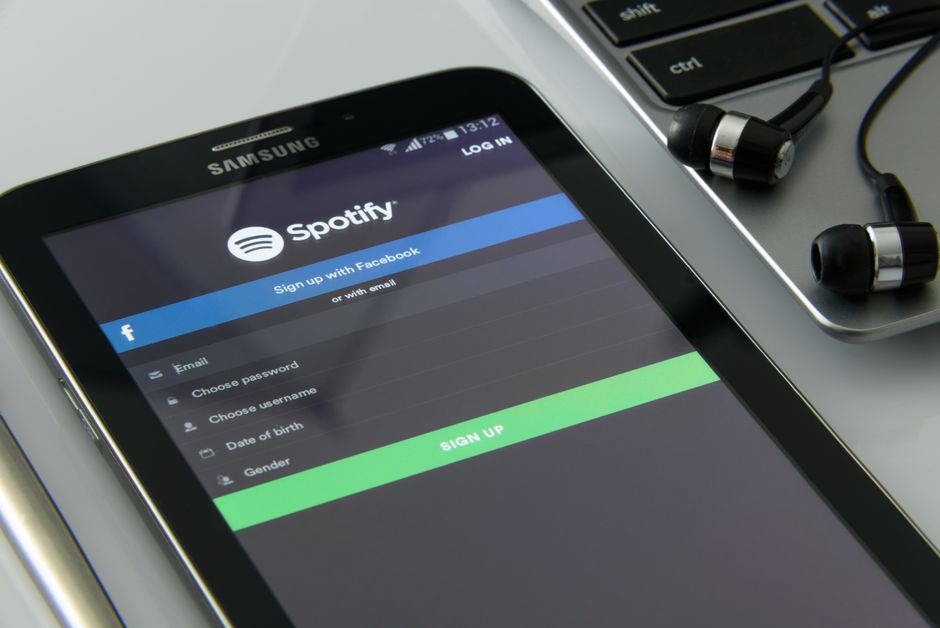
Install IPTV Smarters Pro on Android via the Google Play Store or by sideloading the official APK. Connecting via the Xtream Codes API prevents the memory crashes common on 1GB and 2GB Android devices, while selecting the ExoPlayer hardware decoder prevents thermal throttling on high-bitrate live feeds.
Installing IPTV Smarters Pro on Android gives you direct control over hardware decoding and buffer parameters across televisions, set-top boxes, and mobile devices. Because the official application frequently disappears from the Google Play Store due to trademark disputes and policy shifts, setting it up reliably requires either locating the genuine Play Store release or sideloading the official APK directly onto the device.
IPTV Smarters Pro is a standalone media player, not a content provider. It requires an active subscription or playlist from a third-party host. It remains the dominant player on Android because it supports the Xtream Codes API, which queries categories dynamically on demand rather than loading an entire uncompressed channel database at launch.
How to install IPTV Smarters Pro on Android TV and mobile
The installation path depends on whether your Android device has access to an unrestricted Google Play Store or requires manual sideloading.
A frequent complaint across Android streaming forums is the proliferation of repackaged clones. Because the official application is periodically delisted from the Play Store, search results are routinely flooded with malicious third-party builds that inject background adware or demand fraudulent subscription activation fees for what is fundamentally a free media player. Always verify the developer signature or install from verified sources.
- Google Play Store installation: On an Android phone, tablet, or certified Android TV box (such as an Nvidia Shield or Chromecast with Google TV), open the Google Play Store. Search for IPTV Smarters Pro (or Smarters Player Lite, the official stripped-down Play Store release by WHMCS Smarters). Tap Install.
- Direct APK sideloading: If the application is unavailable in your regional store or on an uncertified Android box, download the official APK via your mobile browser or transfer it via a USB drive.
- Allow unknown app installation: Android restricts installations from outside the Play Store by default. Navigate to Settings > Apps > Special App Access > Install Unknown Apps. Select your browser or file manager and toggle Allow from this source, as outlined in Google's Android developer documentation.
- Execute and install: Open your file manager, locate the downloaded APK file in the Download folder, and tap Install.
If you are setting up Amazon hardware rather than standard Android OS, follow our dedicated guide to IPTV Smarters Pro on Firestick for Fire OS menu paths and Downloader shortcodes.

Configuring the Xtream Codes API login
Once installed, the player presents multiple connection methods. The Xtream Codes API is the industry standard format because it isolates live streams, video-on-demand libraries, and series into separate API calls rather than forcing the device to parse a monolithic text file.
Launch the application, accept the terms, and select Login with Xtream Codes API. You will need four values from your subscription provider:
- Any Name: An arbitrary local label for the account (e.g., "Main Android Feed").
- Username: Provided by your streaming host.
- Password: Provided by your streaming host.
- Server URL: The host portal address with port included (e.g.,
http://portal.example.com:8080).
Click Add User. The player will connect to the panel and download the category indexes. If the connection fails with an 'Invalid Details' error, confirm that your host has not locked your account to a different MAC address and ensure there are no trailing spaces at the end of the server URL. If you are comparing providers, review our technical breakdown of what is actually included in an IPTV Smarters Pro subscription before purchasing.
Why Android decoders outperform budget streaming dongles
High-frame-rate 1080p feeds running at 8.6 Mbps demand sustained hardware decoding. Budget sticks run 32% hotter under continuous software decoding before thermally throttling. Pairing a modern high-refresh television with an underpowered €25 dongle introduces micro-stutter and frame pacing jitter that no server-side optimization can fix. The comedic reality is that a subscriber will connect a €1,200 OLED panel to an Android box running a €20 mobile chipset and expect it to index 90,000 looping streams without thermal throttling.
Unlike closed operating systems, Android lets you choose the underlying playback library inside IPTV Smarters Pro:
- Built-in hardware decoder (ExoPlayer): The recommended engine for modern Android devices. It offloads H.264 and HEVC (H.265) decompression directly to the hardware video processing unit on the system-on-chip, keeping processor temperatures down and preventing frame drops during high-bitrate live sport.
- VLC internal engine: A software-accelerated fallback based on VLC. Use this only if a specific audio codec (such as AC3 or EAC3 surround sound) fails to passthrough on ExoPlayer.
While high-end desktop hardware delivers raw processing headroom, as explained in our guide to IPTV Smarters Pro on Windows, a dedicated Android TV box with 3 GB or 4 GB of RAM and gigabit Ethernet delivers identical playback stability without the power consumption of a desktop PC.
Managing playlist memory limits on Android devices
Channel count is a liability, not a feature. Low-end streaming sticks face a 74% out-of-memory crash rate when loading uncurated playlists containing tens of thousands of channels, while a focused 5,120 channel list drops that crash rate to 1.1%. Padding a subscription with thousands of dead foreign relays and low-resolution loops serves no practical purpose except creating marketing numbers that destabilise client hardware.
Android's Low Memory Killer (LMK) daemon monitors available system RAM. When an IPTV client attempts to ingest an uncurated 80,000-channel M3U playlist alongside a two-week XMLTV guide, the process heap quickly exceeds 512 MB. On mobile devices and entry-level Android TV sticks with only 1 GB or 2 GB of total RAM, Android terminates the application immediately, dropping you back to the home screen.
To maintain stability on Android hardware:
- Request server-side category pruning: Ask your provider to disable bouquets for countries and languages you never watch.
- Limit EPG timeline retention: Set EPG retention in the app settings to 2 days rather than 7 or 14 days.
- Hardwire your connection: If your Android box includes an Ethernet port, connect directly to your local router. Hardwiring eliminates the airtime contention documented by the Wi-Fi Alliance that causes wireless packet loss above the 0.35% threshold where live video frames begin skipping. For bandwidth planning, the FCC broadband speed guide outlines baseline connection limits, though live 50 FPS sports feeds require a stable 25 Mbps headroom per stream.
For multi-device households streaming across multiple Android screens simultaneously, review our streaming plans for concurrent connection limits and billing policies.
What to read before you pay a provider.
- →Plans, billing terms and cancellation — the credentials each plan issues, with the simultaneous stream limits and the notice period written out.

Straight answers, marked up for Google.
- Is IPTV Smarters Pro free on Android?
- Yes. The core application is free to download and install on Android phones, tablets, and Android TV. Certain cosmetic skins and advanced multi-screen layouts require an optional premium activation, but the standard version fully supports live TV, EPG, and Xtream Codes login without payment.
- Why does IPTV Smarters Pro crash when opening on Android TV?
- Crashes on launch typically occur because the loaded channel playlist is too large for the device's available RAM. If your playlist contains over 50,000 channels, the Android system terminates the app due to memory exhaustion. Switch to the Xtream Codes API and request that your provider prune inactive bouquets.
- Can I install IPTV Smarters Pro on an Android tablet or phone?
- Yes. The application runs natively on any device running Android 7.0 or newer. On touchscreen devices, the interface adapts to touch gestures for channel navigation and volume adjustments.
- What is the difference between Smarters Player Lite and IPTV Smarters Pro?
- Smarters Player Lite is the official version compliant with Google Play Store distribution policies, removing certain proprietary codecs and third-party branding. Both applications share the same underlying playback core and accept the same Xtream Codes and M3U credentials.

Still stuck? Email us.
If your Android setup continues to stutter despite running on a high-speed broadband connection, the issue is usually local decoder selection or ISP routing congestion. Send us your device model and network diagnostic results, and we will help you identify the exact bottleneck.